
There are two types of public holidays:
- National level
- State-level
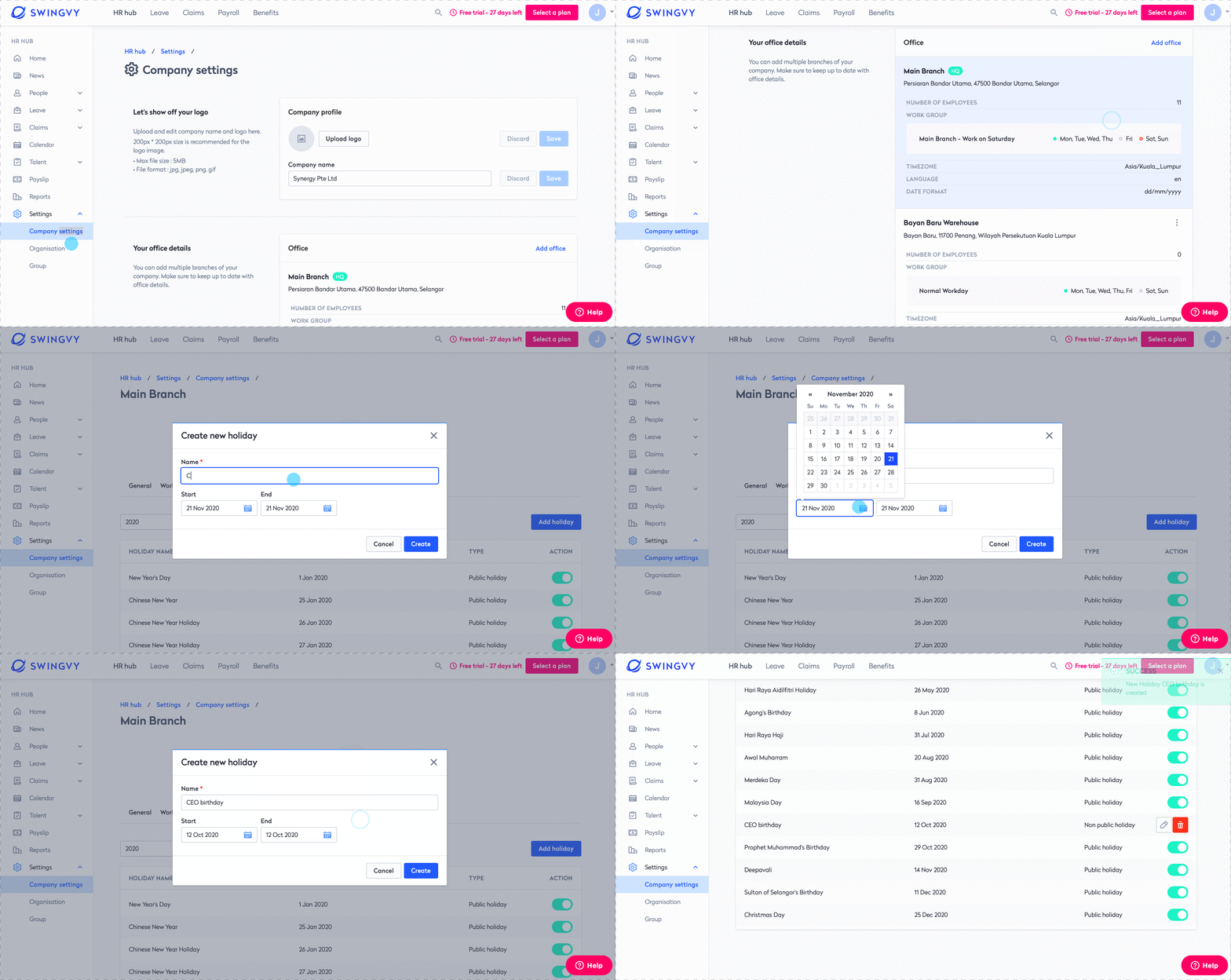
The public holidays will be auto-populated according to your country and state. But you can also add a custom paid holiday.
Step 1 - Go to HR Hub > Settings > Company settings
Step 2 - Select office
Step 3 - Go to Holiday > Select year > Add holiday > Select Date > Click Create
See also: