
To download the bank file, the Value Date must be entered. The Value Date should meet the following requirements:
- It must fall on a business day (Monday to Friday, excluding public holidays).
- It must match the intended payroll payment/crediting date.
- The bank file must be uploaded and authorized at least 1 business day prior to the Value Date (or before the daily cut-off time on the Value Date itself).
Example:
If salary payment is scheduled for Friday, set Friday as the Value Date. The bank file should be downloaded and uploaded/approved on UOB Infinity by Thursday (or before Friday's cut-off time).

To upload the bank file, you can follow the below steps:
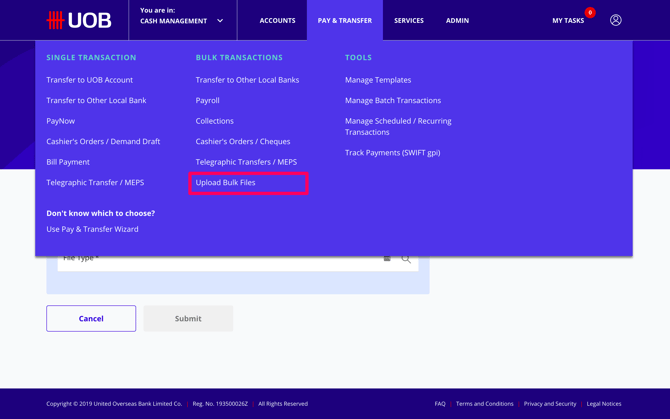
Step 1: Click on pay & transfer at the top menu and choose upload bulk file
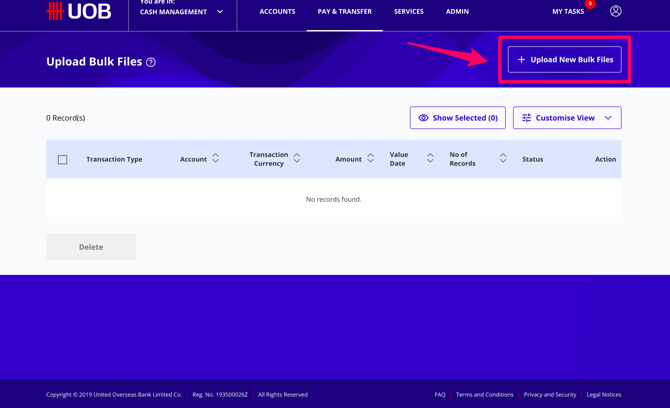
Step 2: Click upload new bulk files button
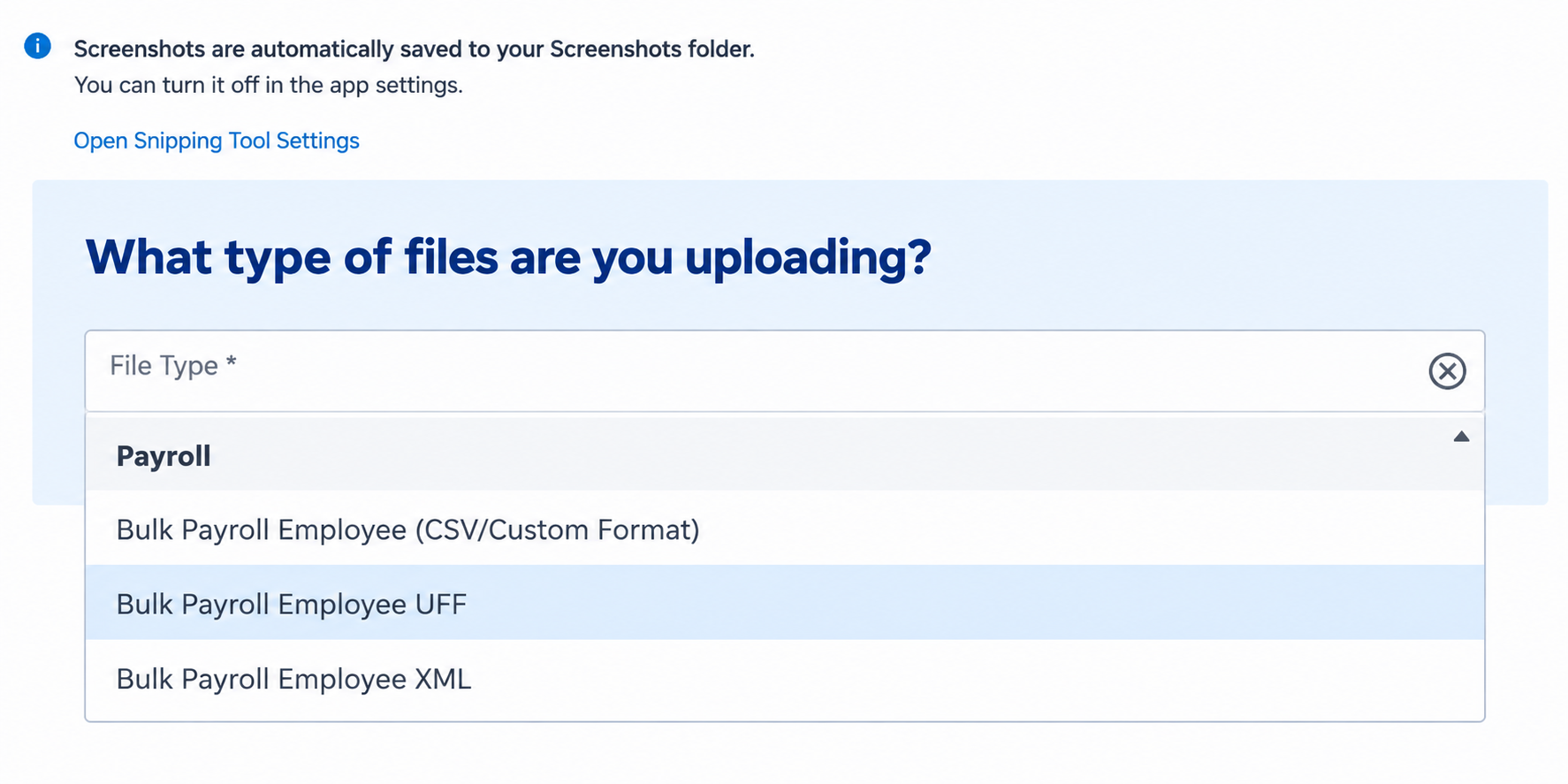
Step 3: Choose "Bulk Payroll Employee UFF" as the file type and select the file to upload. The file is the downloaded bank file from Swingvy
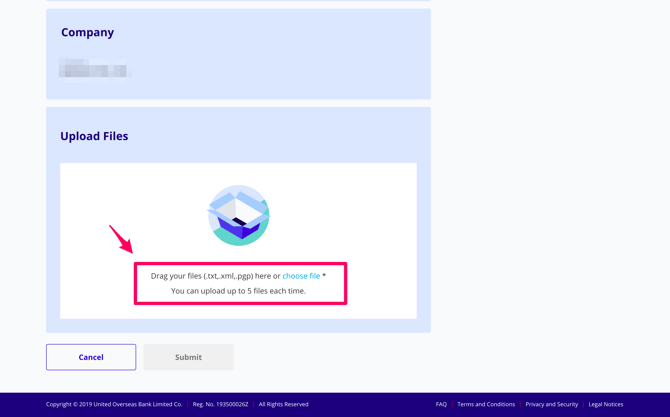
Step 4: Click submit and proceed to upload the file
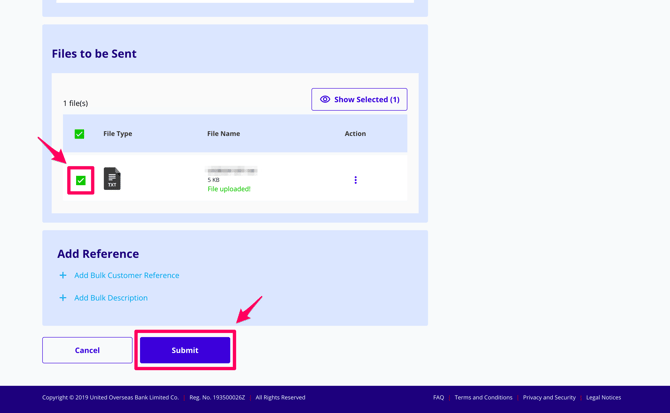
Step 5: To notify the approver, please click on the 3 dots in the action tab. Click notify approver
For Payroll approver:
Step 6: If you are the approver, Click 'Approve' under the action tab
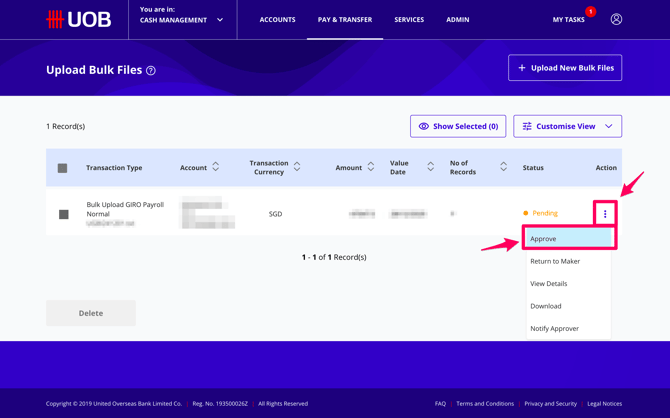
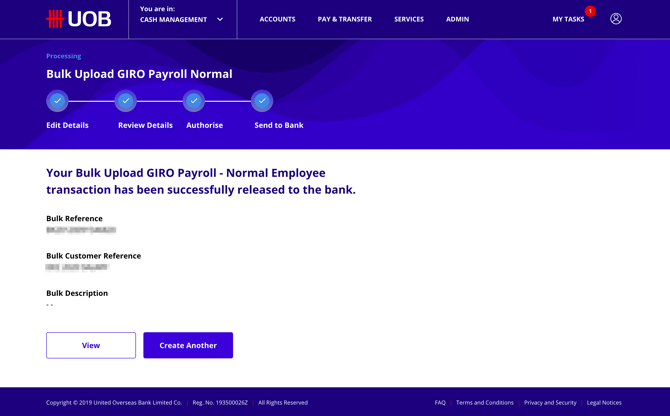
The payroll will be successfully sent to the bank once the approver approves the file
Note:
-
Please call the UOB hotline number should you encounter an error on the platform. You can reach them at 1800 222 2121
- UOB User Guide (Bulk Payment): https://www.uob.com.my/assets/web-resources/business/pdf/guides/infinity-bulk-payments.pdf